




CrumBet Casino Mobile Version for Android and iOS Without Downloads
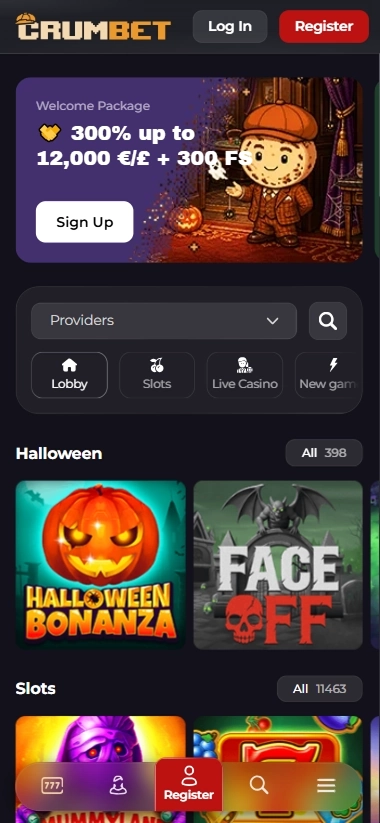
You can open CrumBet Casino on your phone just like any other website. Simply launch your browser, visit the site and sign in to your account area. There is no need to find installation files, deal with app settings or create a new profile when switching devices.
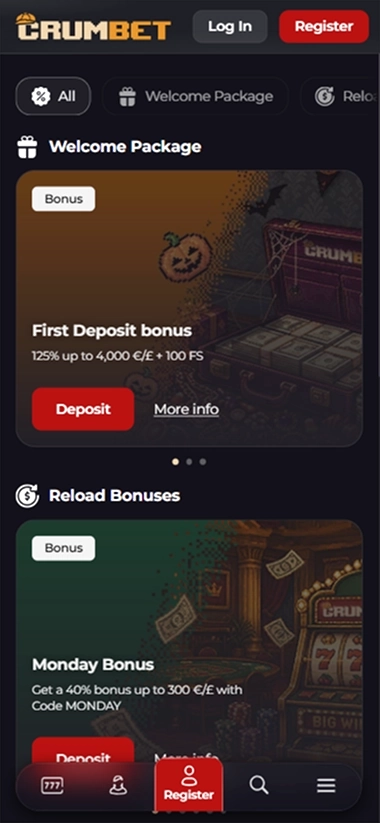
For English-speaking users in Europe, the mobile version retains access to the catalogue, banking cashier, promotions and customer support. The interface adapts to the screen size, so the main tasks can be carried out on both Android and iPhone.
How the Mobile Version Works
When moving from a desktop computer to a smartphone, the layout changes. Navigation becomes more compact, and the main sections open through a menu. This lets you use your account area without constantly zooming in on parts of the page.
The mobile version retains search, content categories and access to profile settings. You can open the section you need directly in your browser and return to it after a session through your browsing history or a saved bookmark.
Connection quality is particularly important for pages with video streams. An unstable internet connection may cause the video to load more slowly, so a reliable Wi-Fi or mobile data connection is preferable for smooth use.
How to Use CrumBet Casino on Android and iPhone
The site opens in a smartphone browser, so there is no need to download a separate application. You can use Chrome on Android and Safari on iPhone. Following the link gives you access to the catalogue, account area, cashier and customer support.
To avoid entering the address manually each time, you can add the page to your home screen. On iPhone, Safari offers an “Add to Home Screen” option, while Android users can find a similar option in Chrome’s menu. The shortcut lets you open the site with a single tap.
The mobile version loads over the internet, and updates are handled by the website. Users do not need to install new versions themselves, and the same login details work on both phones and computers.
Signing In from a Smartphone
A saved shortcut makes access easier, but you still need to sign in to view personal information. Users who have already registered do not need to fill in the form again.
Once signed in, you can check your balance, open the Promo section and access banking transactions. All these actions use your existing profile, so your account details are retained when you switch devices.
If you forget your password, recovery is handled through the email address provided at registration. If you cannot access that address, you will need help from customer support.
To protect your account, it is best to use a unique password and avoid saving it on other people’s devices. It is particularly important to sign out after using your account area on a phone that others may use.
Adding Funds and Receiving Winnings
The mobile cashier lets you carry out financial transactions without a computer. The site supports Visa, Mastercard and Bank Transfer. Users select a payment method, enter the amount and proceed to confirm it through the relevant payment form.
The minimum top-up is €20. If you plan to take part in a promotion, enter the promo code before completing the payment. You can then check your balance and available offers.
Withdrawals are also requested through the account area. Identity verification is required for the first payout, and the operator may ask for documents and proof of residential address.
Using a smartphone does not change the banking limits. Funds take 1–3 business days to arrive by card and 5–7 business days through Bank Transfer. The minimum withdrawal is €50.
Mobile Access Security
A smartphone is often used for email, banking and signing in to different websites. It is therefore important to check carefully any page where you enter confidential information.
CrumBet Casino uses SSL encryption to transmit information. Handling your password carefully and controlling access to your device provide additional protection.
It is best to open the site through a saved bookmark and avoid unfamiliar advertising links. Do not install APK files from third-party sources or share your login details with anyone else.
If you suspect that someone else has accessed your account, change your password and contact support.
Help with Errors
The browser version provides access to the site’s main features, although some pages may load differently depending on the device. Screen size, browser version and internet connection quality all affect this.
If a section will not open, first refresh the tab and check your connection. If the problem recurs, try another browser or close unnecessary pages running in the background.
Clearing cookies can sometimes resolve errors, but you may need to sign in again afterwards. Make sure you have your login details available before doing so.
For questions about the website, payments or your account area, contact the 24/7 Live Chat service. Email is suitable for written enquiries and document submission.
General information about CrumBet Casino, its catalogue, registration and banking transactions is available on the homepage.